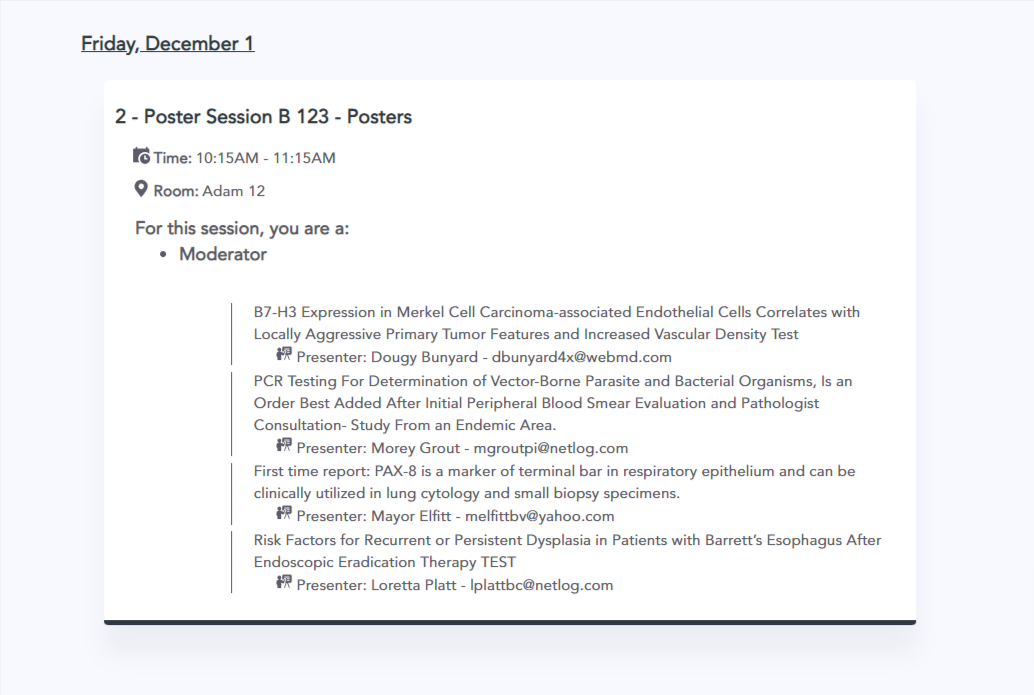

In the mobile app admins can select what author roles they would like to display. If none are selected than all roles will display.

It is accessed from the mobile app’s module settings and on the Other settings tab on the program screen.
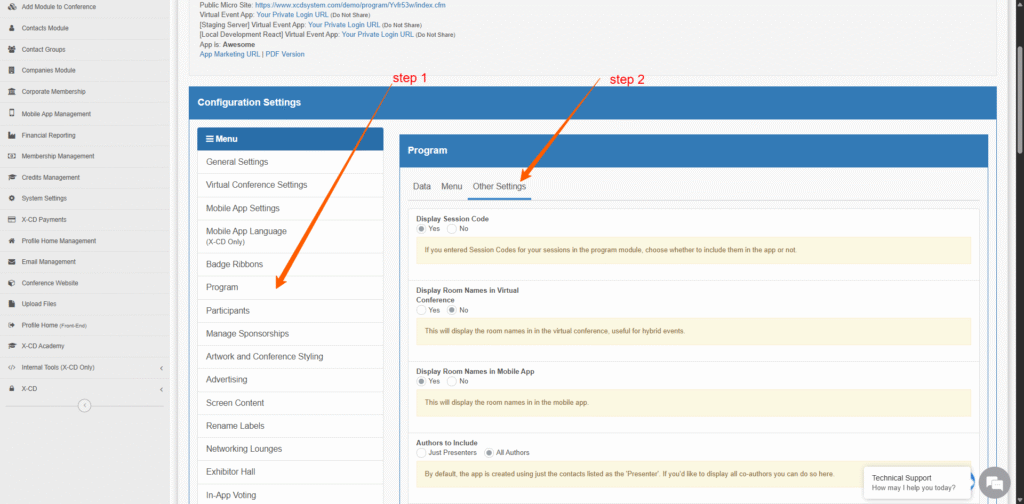
Note, this may require an additional fee (Sales?)
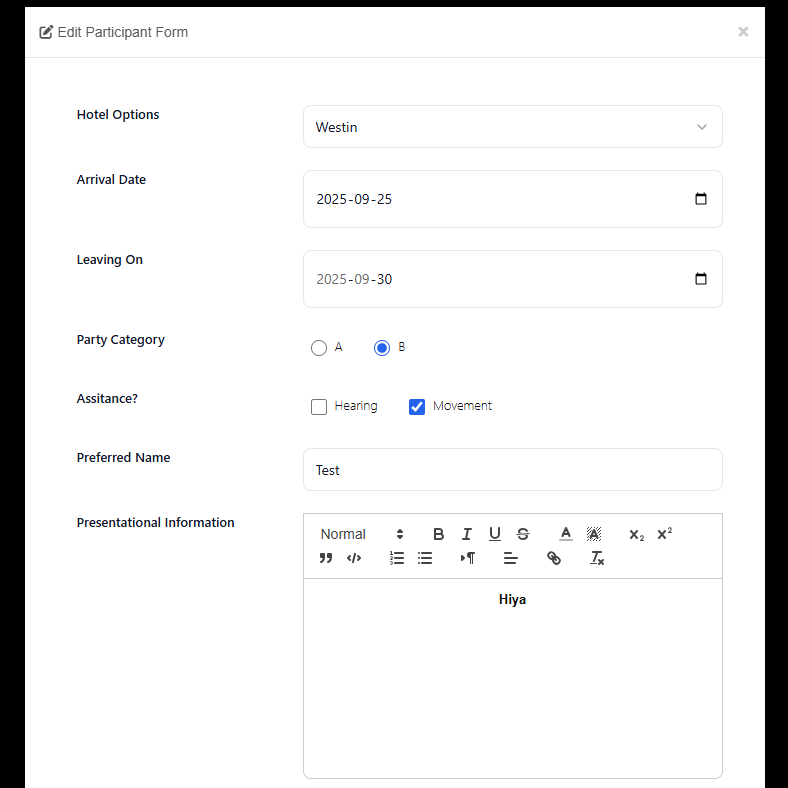
This feature allows you to create a form which can be filled out once per contact associated with a conference. For now, this means it can be filled out once for each user showing in “Manage Participants” (Reviewers, Speakers, Authors, Chairs). This is purely an administrative tool (no front-end, only admin users will be able to use).
To enable the product, go to the program module, and under Advanced, select Conference Participants Form. This will show only to X-CD. Once you’re on the screen, click enable to turn it on. Once it’s enabled, the menu option will also show to client admins.
This settings area allows them to create a form with various field types including Date, Number, Multiline Text, Text, and eventually file uploads.
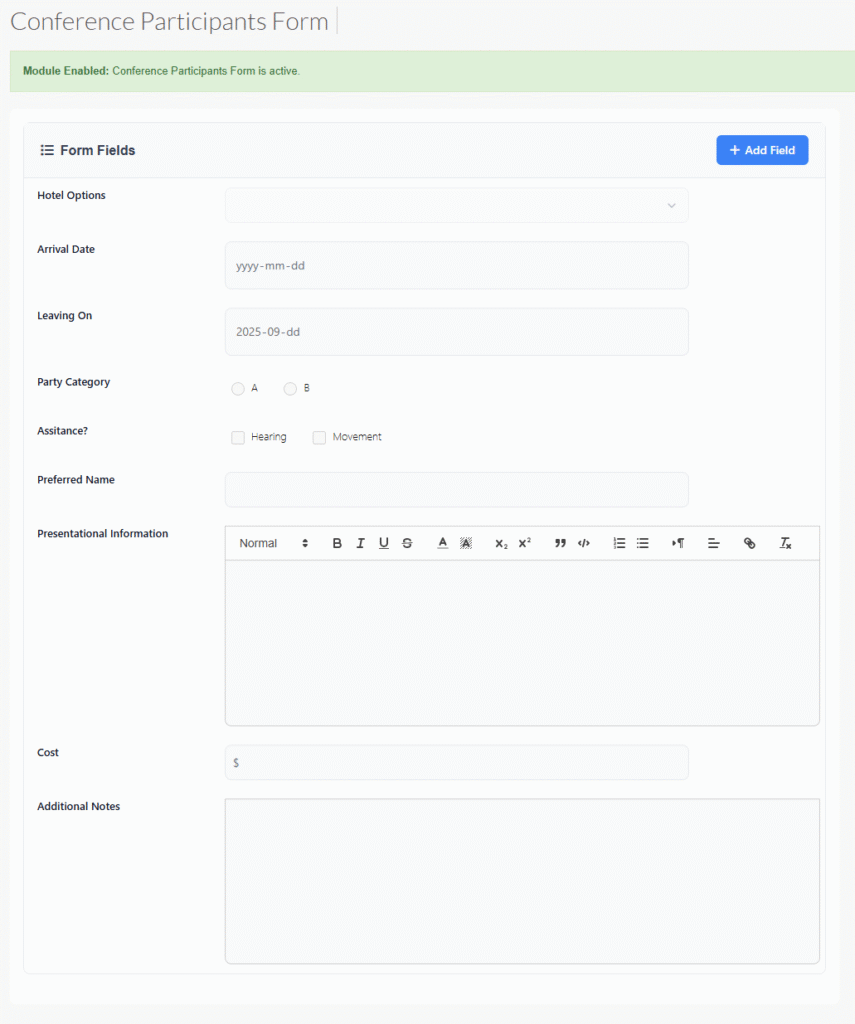
Once the form is set up, you can go to manage participants and manage an individual participant’s responses for this form.
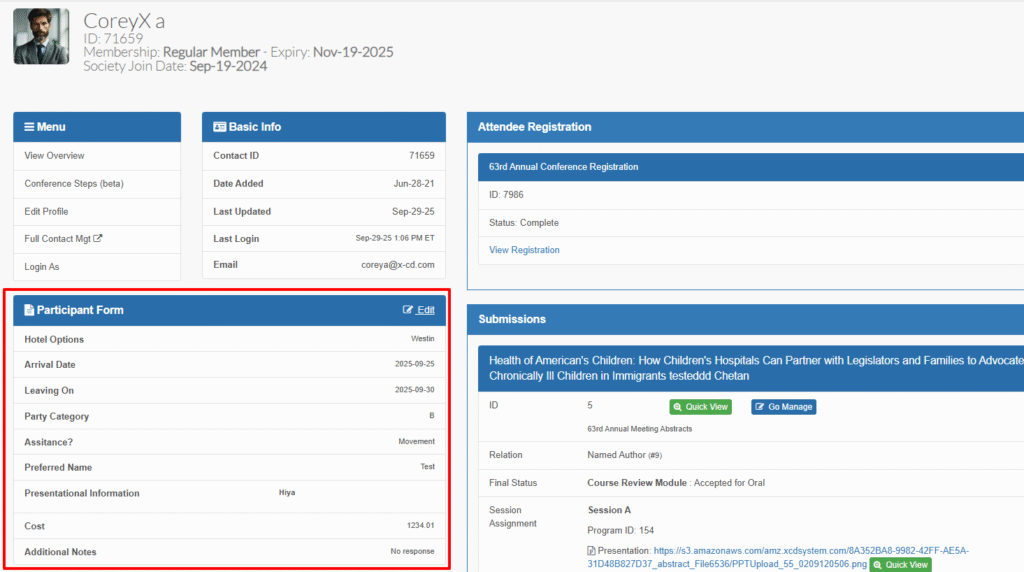
To make changes to this form, click edit in the panel header, and fill it out.
Still to come: Adding reports for this information.
Note: This may require an additional fee.
This feature allows companies to proceed as normal in the exhibitor module, but it will stop them from checking out. Instead, they will be presented with a screen to Submit a company application. Later, administrators will mark those applications as either accepted or rejected, which will either lock the checkout screen with a rejected message, or open the checkout.
An email is sent (customizable):
To Admin when an application is received.
To Company when their application is received.
To Company when application is accepted/rejected.
Screen content can also be modified.
To turn on:
Go to Exhibitor settings and under X-CD only, go to Company Approvals
To edit the approvals emails or content settings, or update a company status:
Go to settings
Under advanced, go to Company Approvals
a new font family primary colour and panels have been updated
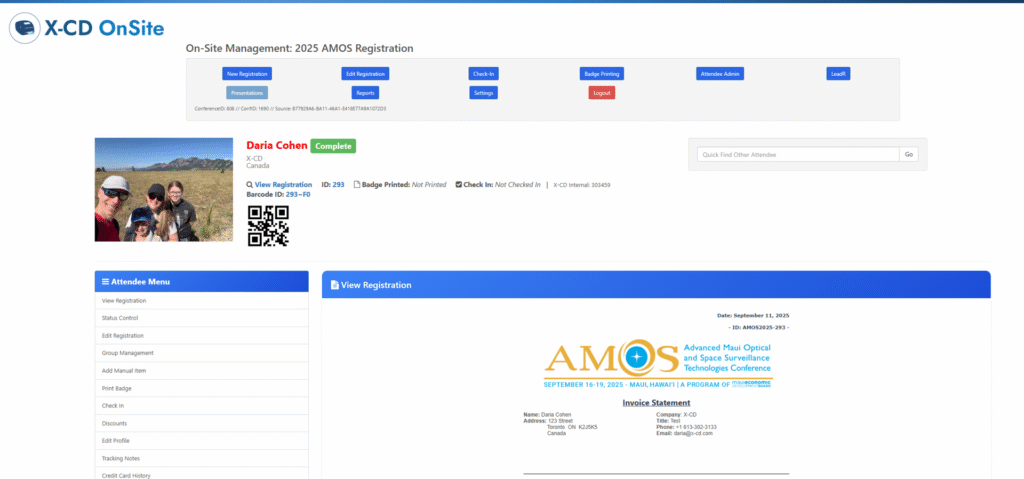
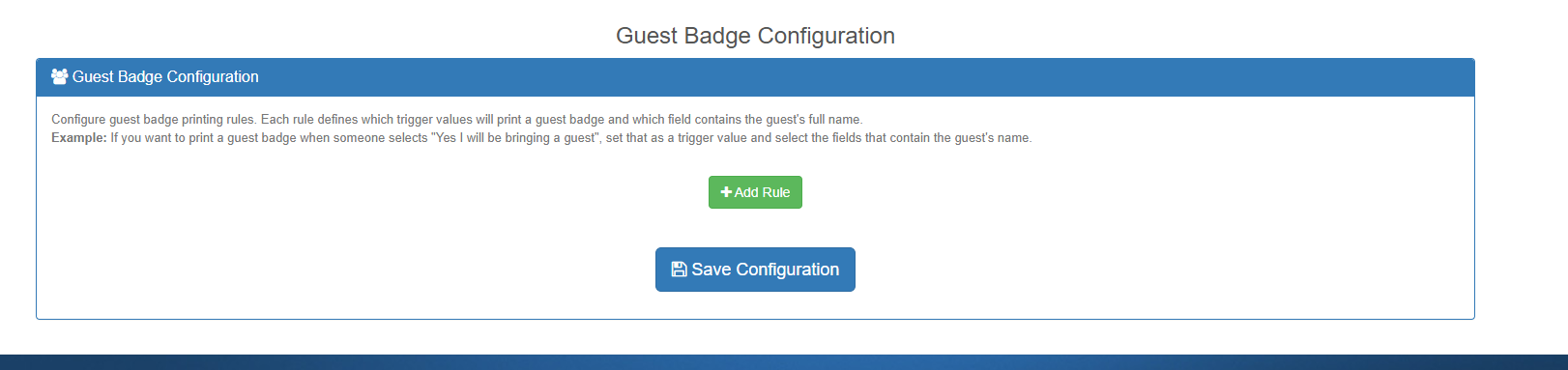
Updated Badge configuration page
Hotkeys can be clicked to copy
Add a label for the line (will be used for on-site admin app)
Ability to select registration fields
line 1 has the ability to use custom contact fields such as [CustomField_4] [CustomField_15|First Name]
![line 1 has the ability to use custom contact fields such as [CustomField_4] [CustomField_15|First Name]](https://www.x-cd.com/wp-content/uploads/2026/02/Sept-2025-onsite-module-2-761x1024.png)
Currently only available to X-CD staff, may require additional fees (custom work built for SIAM).
This is a new feature designed to allow parent/child submission modules to have a sort of grandparent, parent, child structure, where the parent is a session, ie:
Grandparent: Symposium within a conference
Parent: Sessions within a symposium
Child: Presentations within a session
To use this feature, turn on the multi-session symposium mode in the Parent/Child settings (X-CD only).
This will do two things:
Changes the List Submissions screen, so that grandparents are listed first under “My {GrandparentSubmissionName}” and then the presentations are listed second under “My {ChildSubmissionName}”
Changes the Manage Children button to a new screen which allows you to create sessions for a Submission, and add Presentations to that session.
Still to be done:
We will be creating a script which converts these submissions into sessions
To Discuss: How will we link sessions in the same multi-session symposium in our various platforms (MA, VC, PP).
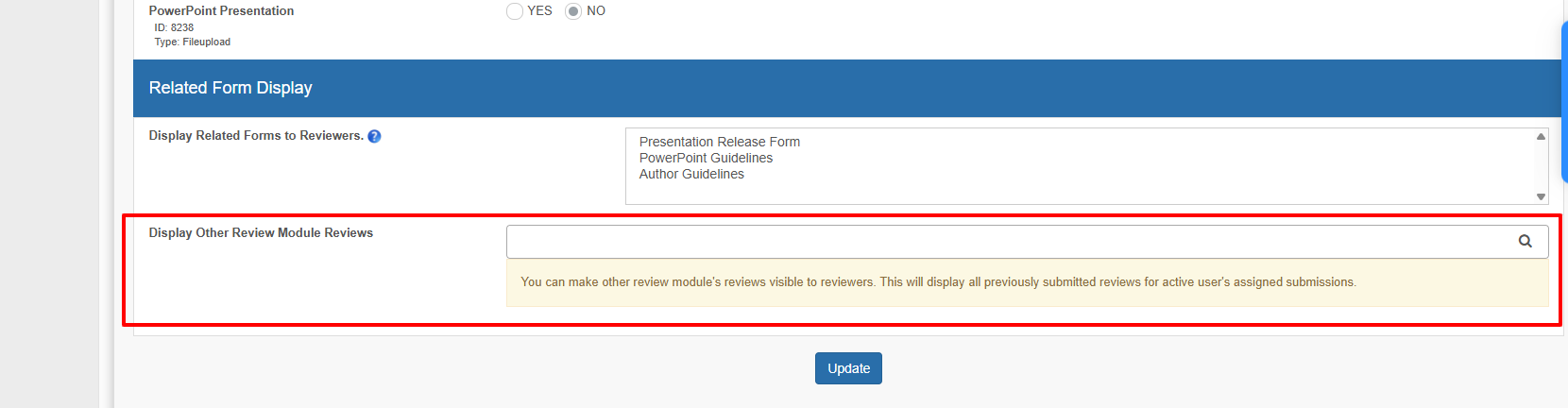
From review module B, can select to allow reviewers to view reviews from review module A
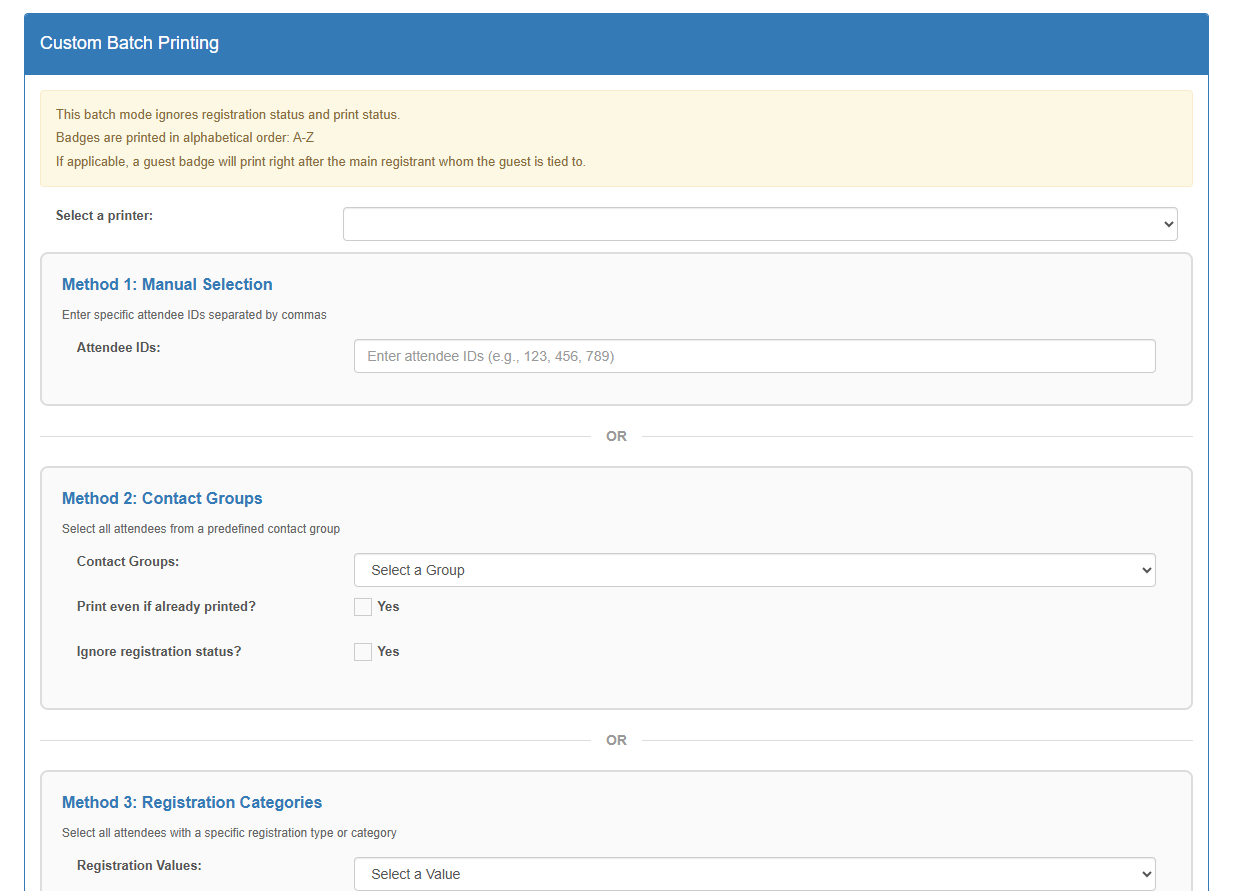
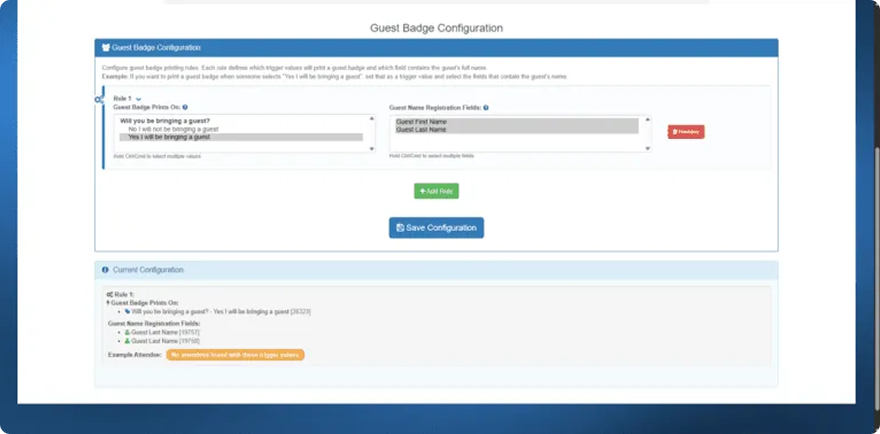
Setup the registration triggers which will print a guest badge
Also indicate what fields will become ‘guest badge line 1’, ‘guest badge line 2’, etc.
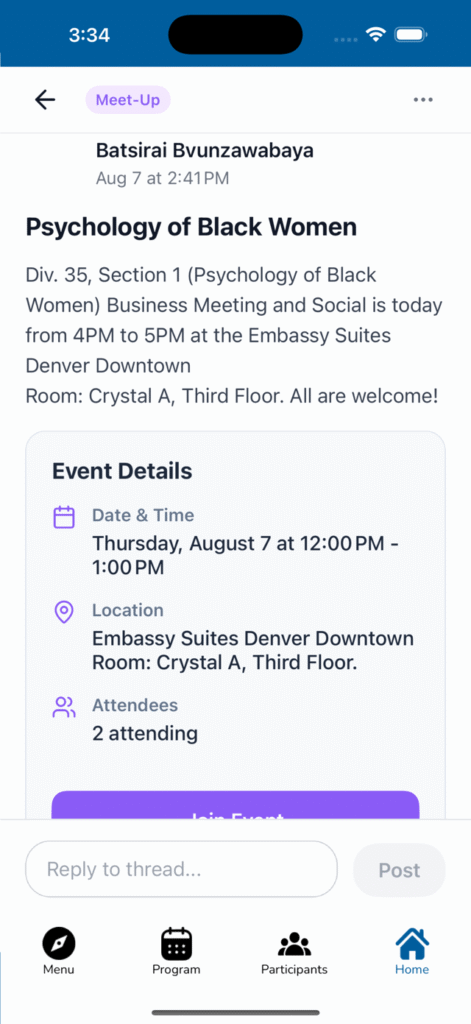
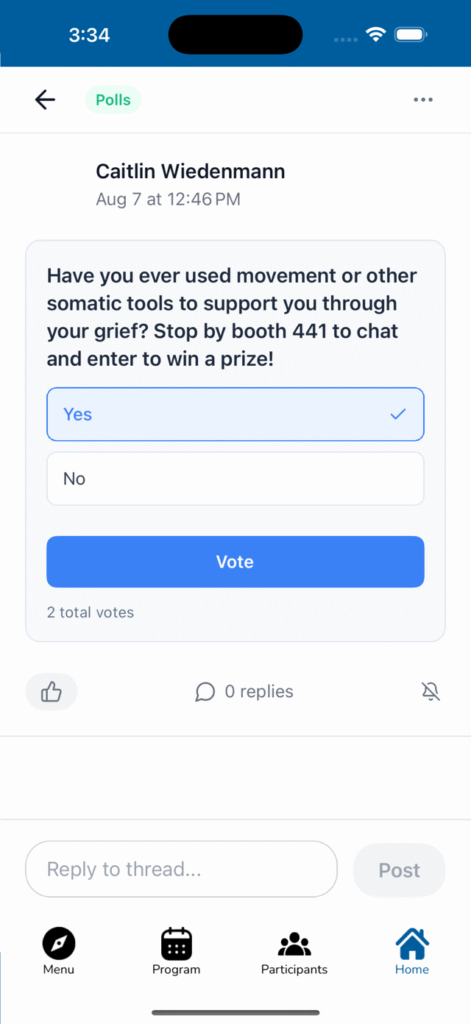
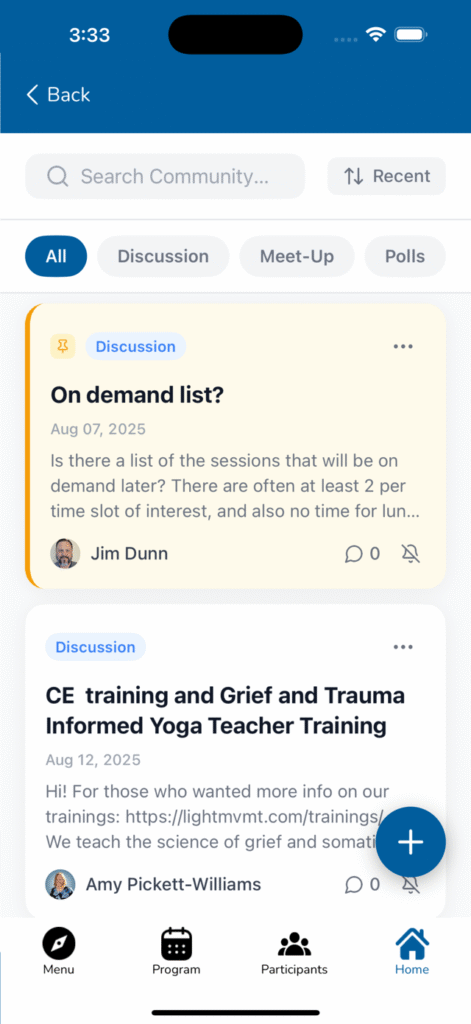
We’re introducing new interfaces to help your attendees have more meaningful conversations throughout your event.
Your attendees have been using the social feed, but we’ve noticed that important discussions – like organizing dinner groups or diving deep into session topics – often get buried in the timeline. Threads solves this by giving conversations structure and permanence.
Focused conversations with clear topics. Instead of random posts, attendees can create discussion threads with specific titles and purposes. Think “Best practices from today’s AI panel” or “Anyone want to grab dinner in downtown?”
Three thread types available:
General Discussion – perfect for Q&A, topic deep-dives, or continuing conversations from your sessions
Meetup – designed for organizing spontaneous gatherings, complete with location mapping and RSVP functionality
Polls – let attendees vote on session preferences, dinner spots, or gather quick feedback on conference topics
Dual visibility for maximum engagement:
New threads appear in the main social feed (maintaining current user behavior)
A dedicated Threads section allows browsing by activity and topic
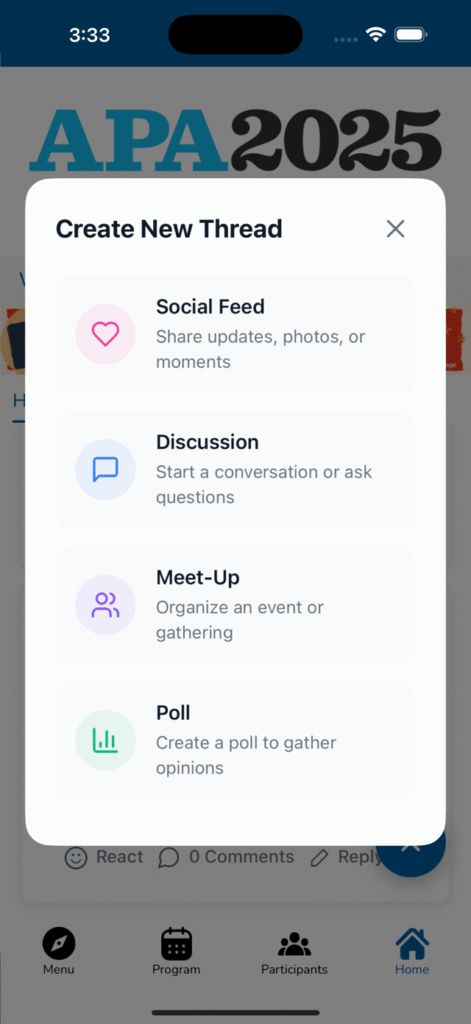
The create button now offers options for regular posts, discussion threads, meetup organization, or polls. For meetups, they can set locations, times, and track attendance – making those “who wants to grab coffee?” moments actually actionable. For polls, they can quickly gather group opinions on everything from “Which breakout session should we attend?” to “Best lunch spot nearby?”
The threading keeps conversations organized, so valuable insights from your sessions don’t get lost in the scroll.
This creates a searchable knowledge base of discussions from your event. Attendees can revisit important conversations, and you’ll have better insights into what topics generate the most engagement. Polls give you real-time feedback on attendee preferences and can help guide event decisions.
This feature is rolling out automatically to your conference apps. No setup required on your end – attendees will see the new options when they go to post.
We’re planning additional features like enhanced moderation tools based on how this performs at your events.
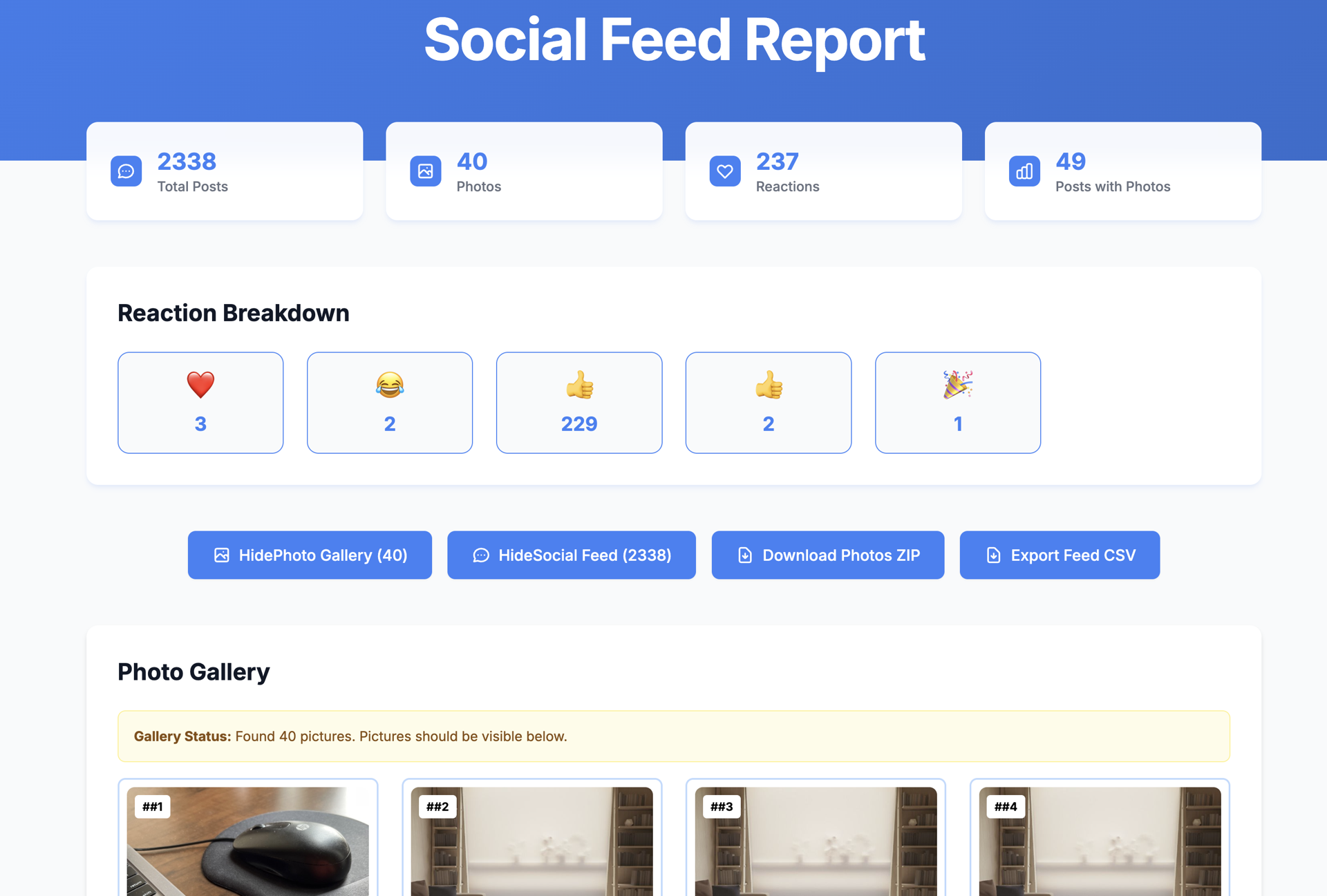
We’ve added a comprehensive reporting dashboard so you can see how your attendees are engaging and manage your event’s social content more effectively.
Real engagement insights. Get a clear picture of your event’s social activity with metrics that actually matter – total posts, photo shares, reaction counts, and engagement patterns. You can finally see which content resonates most with your attendees.
Reaction breakdown by emoji. See exactly how people are responding to content. Are they loving the keynote updates? Laughing at the networking icebreakers? The emoji breakdown gives you a quick pulse on sentiment and engagement style.
Live photo wall capabilities. Download all shared photos as a ZIP file in real-time to feed into digital displays and photo walls throughout your venue. No more hunting through individual posts – just grab the latest batch and showcase attendee moments as they happen.
Easy data export. Export the entire social feed as a CSV for post-event analysis, sponsor summaries, or deeper engagement insights.
Visual content gallery. Browse through all the photos attendees have shared in a clean, organized view. Perfect for quick moderation or selecting highlights for your photo wall displays.
You’ve been asking for better visibility into how attendees engage with each other during events. This dashboard gives you concrete data to understand what works, plus practical tools to manage and showcase the experience in real-time.
The live photo export is especially useful for creating dynamic photo walls during your event – attendees love seeing their pictures displayed around the venue, and it encourages even more social sharing.
The Social Feed Report is now available in your event management dashboard. Access it from your admin panel during or after any event. All the data updates automatically from your attendees’ activity, so your photo walls stay current throughout the conference.
This sets us up to add more detailed analytics in future updates based on what metrics prove most valuable for your events.
We’ve built a comprehensive check-in analysis tool that helps you understand attendee arrival patterns and optimize your event operations.
Year-over-year performance tracking. Compare your current event’s check-in rates against previous years to see what’s working. Track whether you’re improving engagement rates even as your attendee numbers change.
Daily flow patterns. The daily trends chart shows you exactly when attendees arrive throughout your multi-day event. You can see if people are showing up earlier than previous years, or if certain days are drawing bigger crowds than expected.
Hourly staffing insights. The hourly breakdown tells you precisely when to staff your registration desks. Peak morning hours typically need full teams, while you can identify quieter periods when you can scale back resources.
Resource planning recommendations. Get specific data points that matter for logistics – which day will be your busiest, what your average daily volume looks like, and exactly when to have extra staff ready.
Trend comparisons. See how your check-in patterns compare to last year’s event, so you can spot changes in attendee behavior and adjust accordingly.
You’ve been making staffing decisions based on gut feel and rough estimates. This dashboard gives you actual data to optimize your registration flow, reduce wait times, and allocate resources where they’re needed most.
It also helps with post-event analysis – you can see if changes you made (like different registration processes or venue layouts) actually improved the attendee experience.
The Check-In Analytics Dashboard pulls data automatically from your event’s registration system. Access it from your admin panel during the event for real-time insights, or afterward for planning future events.
The hour-by-hour data updates throughout each day, so you can make staffing adjustments on the fly if patterns shift unexpectedly.
![[Draft] [Onsite Badge Printing] Check-In Analytics Dashboard](https://www.x-cd.com/wp-content/uploads/2026/02/aug-2025-implementation-5.png)
![[Draft] [Onsite Badge Printing] Check-In Analytics Dashboard](https://www.x-cd.com/wp-content/uploads/2026/02/aug-2025-implementation-6.png)
What it is: LeadR has been completely redesigned with a contemporary, intuitive interface that makes lead management faster and more efficient.
How it works: The new design features a modernized dashboard with better visual hierarchy, streamlined navigation, and improved mobile responsiveness. Key actions are now more prominent, and the overall workflow has been optimized based on user feedback.
Why it matters: Event organizers and exhibitors can now manage leads more efficiently, reducing time spent navigating the system and allowing more focus on meaningful connections. The updated interface aligns with modern app expectations and reduces the learning curve for new users.
Implementation: Available immediately across all LeadR instances with automatic updates to existing configurations.
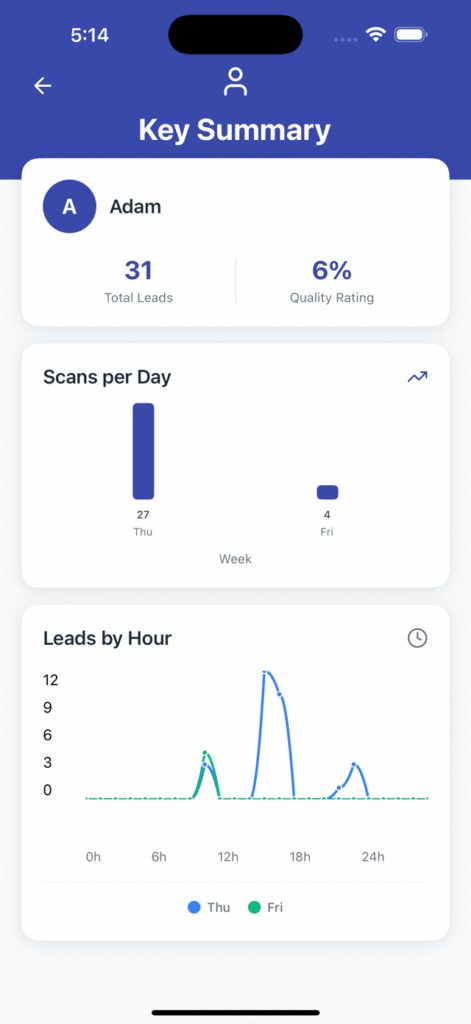
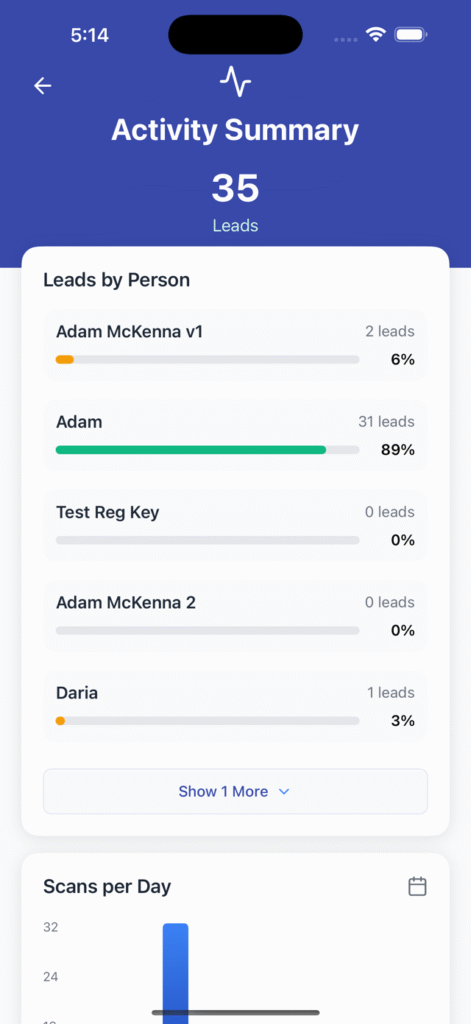
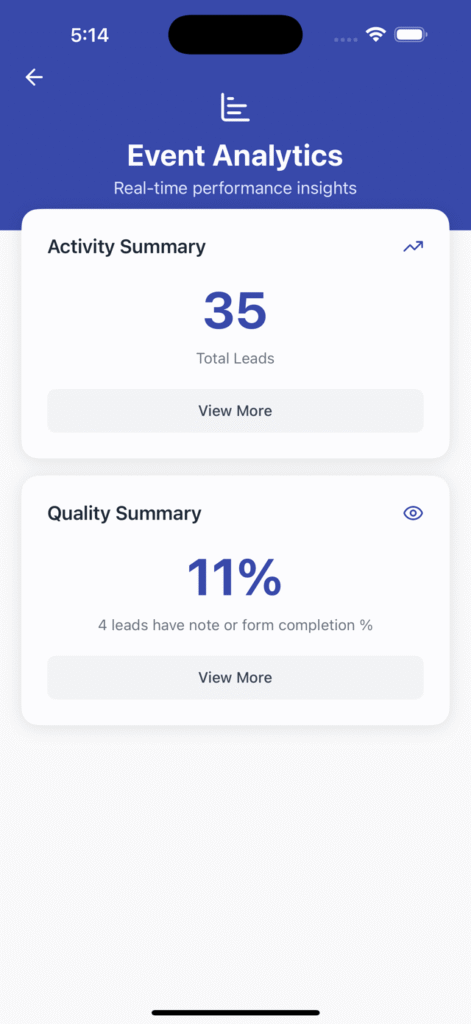
What it is: A new analytics suite provides exhibitor leadership with detailed insights into lead generation, engagement patterns, and ROI metrics directly within the LeadR admin interface.
How it works: The dashboard displays real-time metrics including lead conversion rates, top-performing team members, engagement trends over time, and comparative analysis between events. Reports can be filtered by date ranges, team members, or lead sources, with export capabilities for further analysis.
Why it matters: Exhibition managers can now make data-driven decisions about their event strategies, identify their most effective team members, and demonstrate clear ROI to stakeholders. This eliminates the need for manual data compilation and provides actionable insights for future events.
Implementation: New analytics features are enabled by default for all clients with historical data backfill where available.
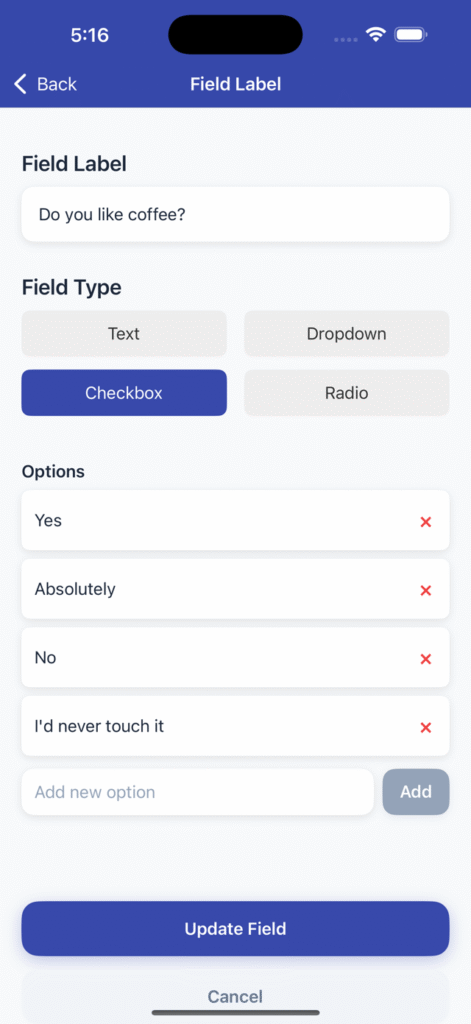
What it is: Streamlined form creation and management with better customization options for lead qualification.
How it works: Admins can now create custom forms with drag-and-drop simplicity, include conditional logic, and set up automated lead scoring based on responses. Forms automatically adapt to mobile devices for optimal user experience.
Why it matters: Better lead qualification at the point of capture means more valuable prospects and less time spent on unqualified leads. Event organizers can customize data collection to match their specific industry needs.
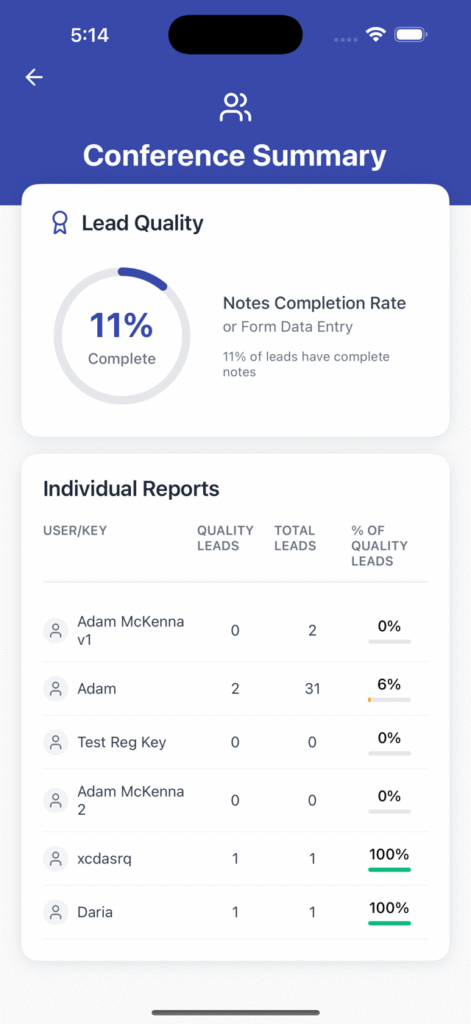
What it is: High-level summary reports designed for leadership teams who need quick insights without diving into detailed data.
How it works: Automated weekly and daily reports that highlight key metrics, trending patterns, and performance comparisons. Reports include visual charts and can be scheduled for automatic delivery to stakeholders.
Why it matters: Senior management gets the visibility they need into event performance without requiring deep system knowledge. This supports better budget allocation and strategic planning for future events.
What it is: Significant improvements to app stability, speed, and offline functionality.
How it works: Updated architecture ensures faster loading times, better offline data sync, and improved reliability during high-traffic events. The app now handles poor network conditions more gracefully.
Why it matters: Exhibitors can capture leads confidently even in crowded convention centers with poor WiFi. Reduced app crashes and faster performance means fewer missed opportunities during critical event moments.
What it is: More flexibility in how LeadR is configured for different event types and organizational needs.
How it works: Administrators can now customize user permissions, lead routing rules, and integration settings more granularly. Multi-event management is now supported for organizations running multiple conferences.
Why it matters: Event organizers can tailor LeadR to their specific workflows rather than adapting their processes to fit the software. This flexibility supports better adoption and more effective lead management strategies.
All updates are automatically available to existing LeadR clients. New analytics features will begin populating data immediately, with historical reporting available based on your existing data.
For questions about new features or configuration options, contact your account manager or our support team.
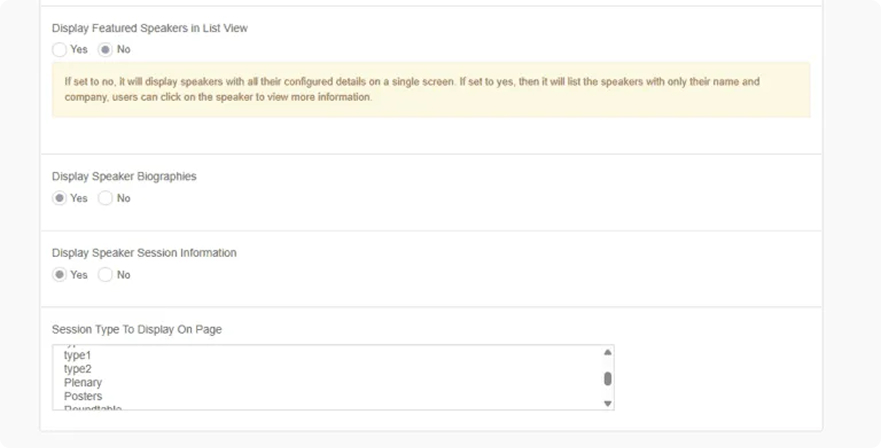
With Featured Speakers, you can now curate a dedicated section within the app to showcase your most anticipated voices. Beyond the standard speaker directory, this feature allows for a new custom biography for each highlighted speaker, giving you the flexibility to craft narratives that truly capture their expertise and impact.
This new screen offers two distinct viewing options to cater to diverse attendee preferences:
For those who prefer a comprehensive look, the Detailed View presents all of a featured speaker’s information on one single, scrollable screen. Attendees can immediately see the custom biography, session details, all without navigating away. It’s a fantastic way to offer an in-depth profile at a glance.
The List View provides a more streamlined experience, perfect for attendees Browse quickly. It offers a concise list of featured speaker cards, each with essential details. When an attendee taps on a particular speaker card, they’re seamlessly taken to a dedicated detailed view screen for that specific speaker. This two-screen approach balances quick scanning with the option to dive deep when curiosity strikes.
Admin Configuration: Addition options appear

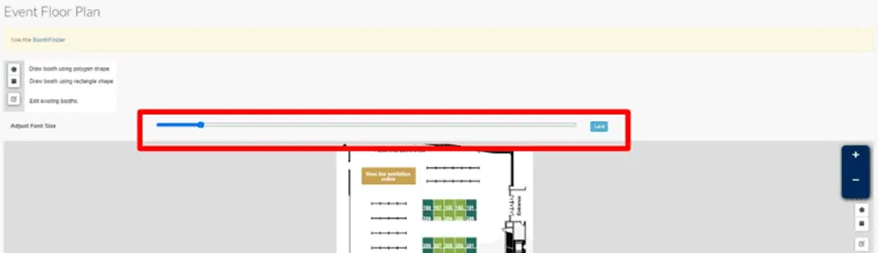
You can now adjust the font size in the exhibitor floorplan screen:
If you believe you have a variety of contacts who have organization filled out with something approximating an existing company, you can use the affiliation discovery tool in the companies module (advanced menu) to find those cases and affiliate those users.
You can review the track associations in your reviewers signup form by going to edit the track field:
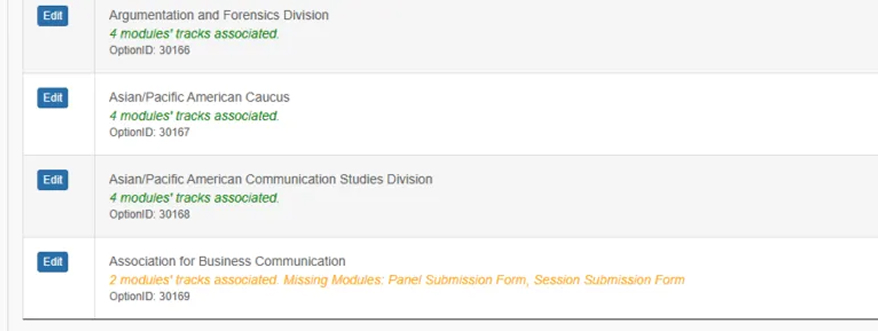
And you can try to auto-associate tracks with this tool in the field management area:

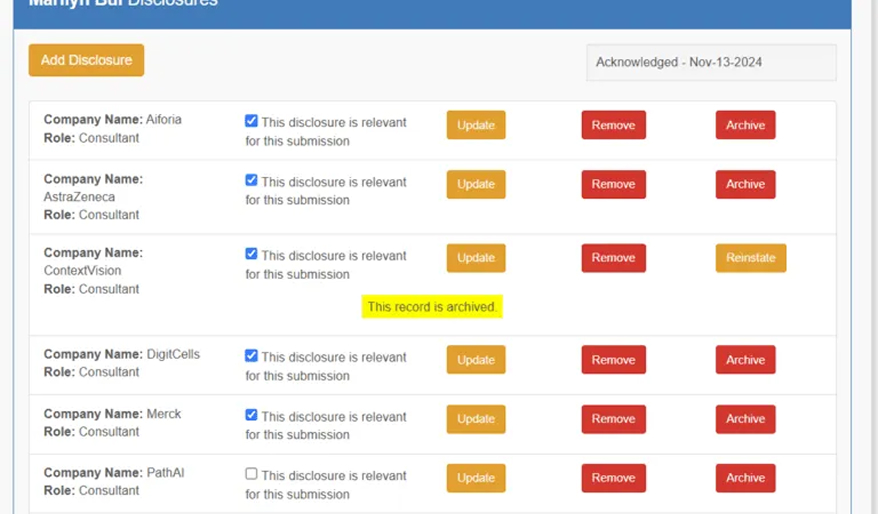
You can now add more clarity for archived disclosures to manage them more effectively.
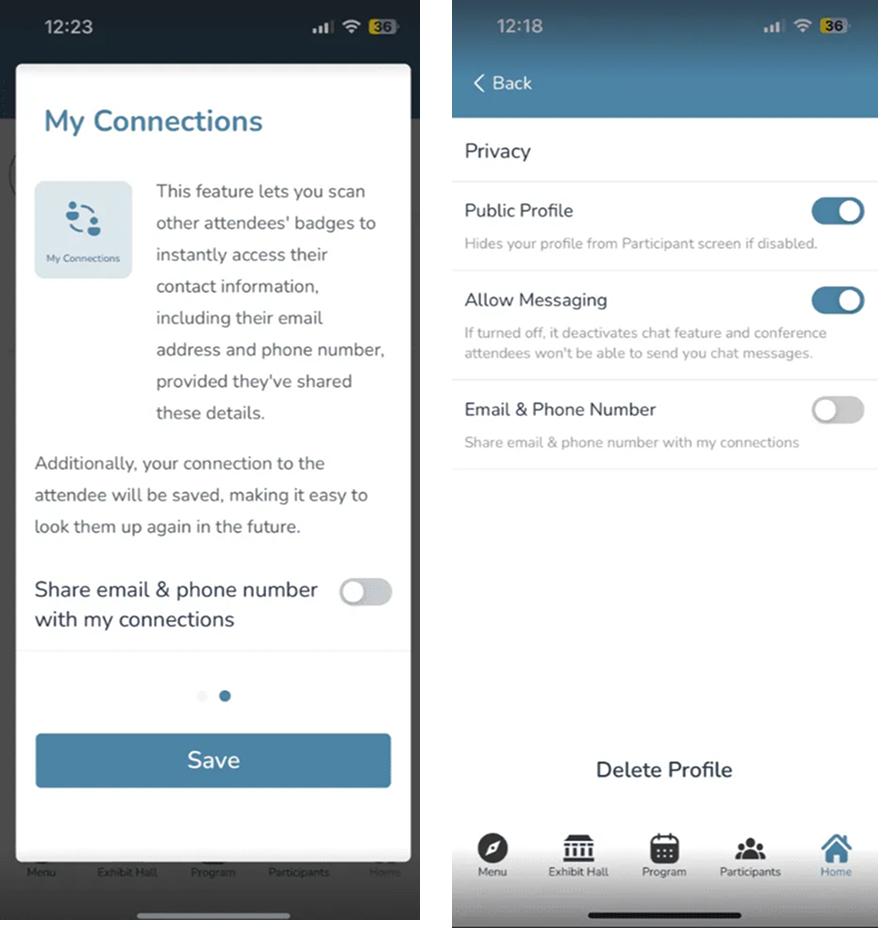
In order to improve our membership module, we’ve made a few changes. The changes reflect our efforts to improve the consistency of your associations historical membership data. Currently, manually managed memberships, imported memberships, and free memberships, have varying consistencies of historical tracking. Going forward, these three types of memberships will have the same level of historical data as regular paid memberships. This provides clients with better analytics and reporting, leading to actionable insights.
If you are using a reviewer pool, and would like to assign reviewers for all submissions in all tracks, you can try out the new assignment wizard (beta). Go to the current assignment wizard, then click on the Try New Assignment Wizard button.
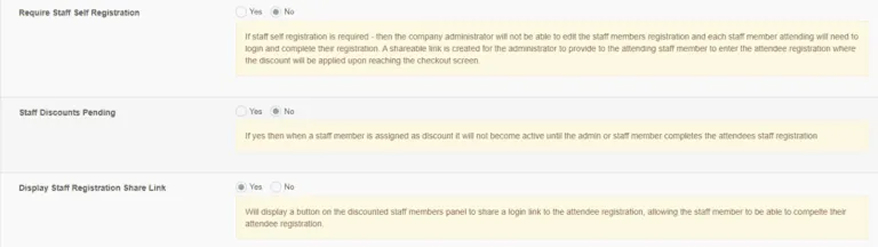

These modes allow clients to configure speaker data in two different ways based on their preference.
1. Module Mode: displays a card for each module, indicating the status of the module, the status of the submitters participation, and the outcomes of the various reviews.
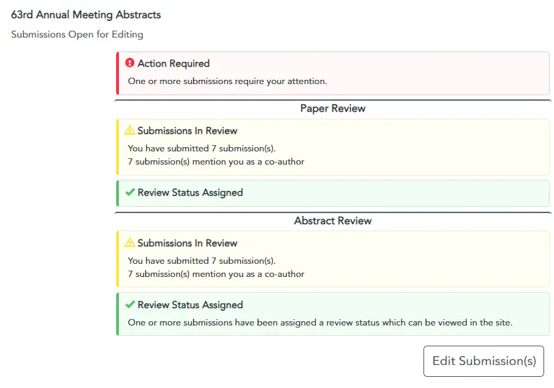
2. Session Mode: provides a central place for a speaker to learn about their responsibilities during a conference, including presenting & chairing.